Getting certified as a Google Cloud Generative AI Leader was a personal milestone for me last year. In a world where AI terminology is thrown around like confetti, I wanted a credential that actually proved I knew how to steer the ship, not just talk about the weather.
If you’re looking to bridge the gap between “AI is cool” and “AI is a strategic business tool,” this is the path for you. Here’s the breakdown of what the certification is, why it matters, and exactly how I cleared it.
What is this Certification Actually About?
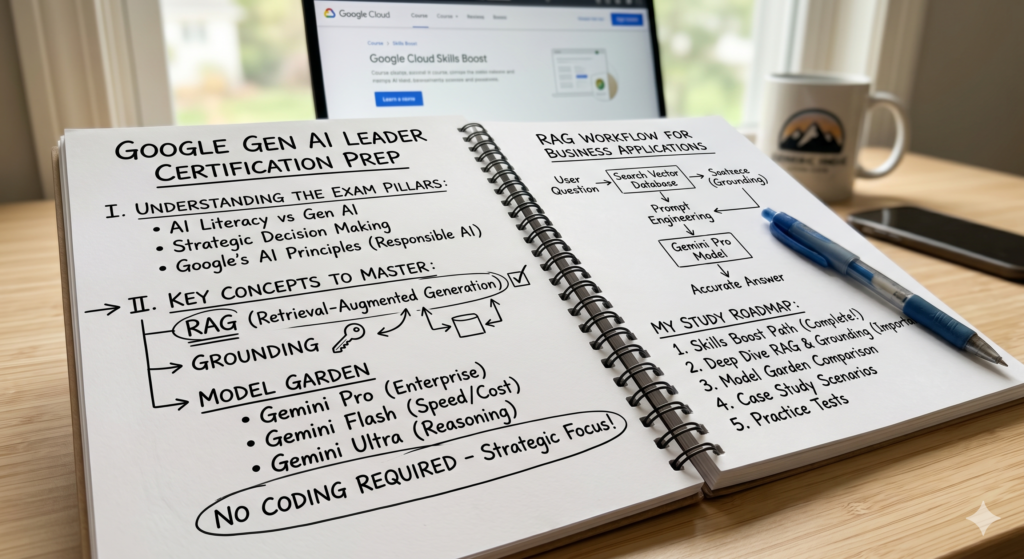
First, let’s clear up a misconception: This is not a coding exam. You won’t be asked to write Python or build a neural network from scratch.
Instead, it’s designed for leaders Product Managers, Directors, and Strategists who need to make high-stakes decisions about AI. It’s about 30% “How does it work?” and 70% “How do we use it without breaking things or overspending?”
The Four Pillars of the Exam:
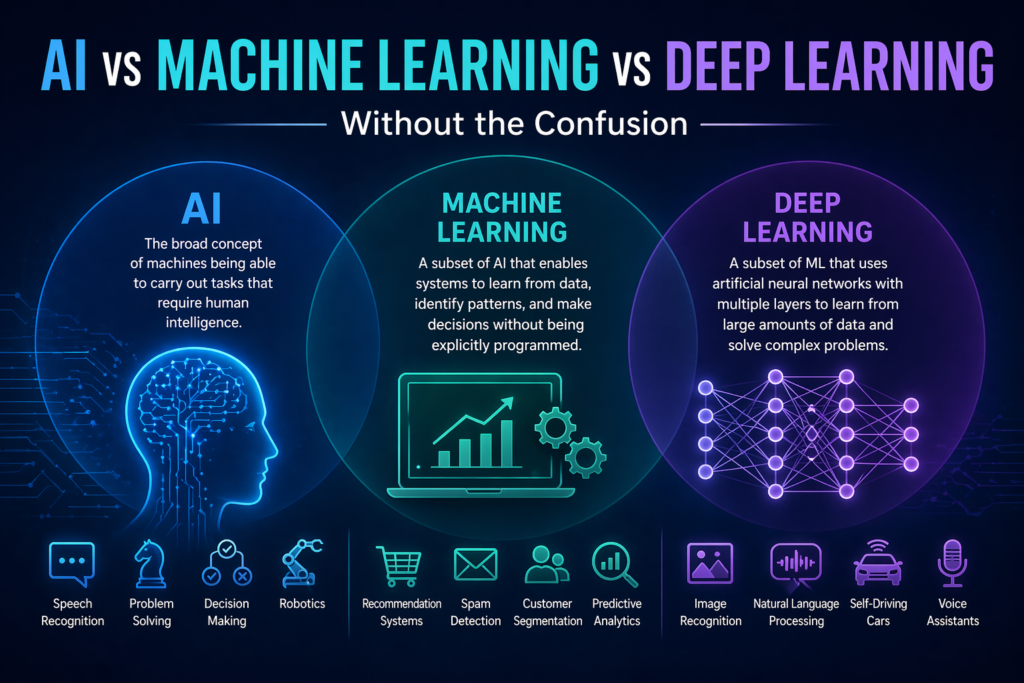
- AI Literacy: Knowing the difference between “Traditional AI” (predicting things) and “Generative AI” (creating things).
- The Google Toolset: Understanding Vertex AI, Gemini (Pro, Flash, and Ultra), and how to use the Model Garden.
- The “Magic” Sauce: Learning about RAG (Retrieval-Augmented Generation) and Grounding basically, how to make sure your AI doesn’t lie.
- Responsible AI: Ethics, privacy, and ROI. Google is big on their “AI Principles,” and you need to be too.
My Preparation Playbook
I didn’t spend months on this. In fact, if you’re already in the tech space, you can probably prep for this in 2–3 weeks of focused study. Here is what worked for me:
1. The “Skills Boost” Learning Path
I started with the official Generative AI Leader Learning Path on Google Cloud Skills Boost. It’s a series of short, video based courses.
- Pro Tip: Don’t just watch them at 2x speed. Pay attention to the “Try It” sections where they show you NotebookLM and Google AI Studio. Those visual interfaces are often featured in exam questions.
2. Mastering the “RAG” Concept
If there is one technical concept you must understand, it’s RAG. The exam loves to ask how to prevent “hallucinations” (when AI makes things up). The answer is almost always Grounding or RAG.
3. Understanding the Gemini Family
I spent time learning which Gemini model fits which scenario:
- Gemini Flash: Use this when you need speed and low cost (e.g., a simple chatbot).
- Gemini Pro: The “Goldilocks” model good for most enterprise tasks.
- Gemini Ultra: Use this for complex reasoning and massive data.
4. Practice Exams (The Reality Check)
I used a few mock tests to get used to the wording. Google’s questions are scenario based. They don’t ask “What is temperature?”; they ask “If your AI is being too creative and making up facts, which parameter should you adjust?” (Answer: Lower the temperature).
“Human” Tips for Exam Day
- Think Like a Consultant, Not a Coder: When in doubt, pick the answer that emphasizes safety, data privacy (Google doesn’t train on your data!), and business value.
- Watch the Clock: You have 90 minutes for about 50–60 questions. It sounds like a lot, but some scenarios are long. Don’t get stuck on one question; flag it and move on.
- The “Responsible AI” Cheat Code: If an answer choice suggests ignoring a bias or rushing a rollout without testing, it’s wrong. Google prioritises their Responsible AI Principles heavily.
Final Thoughts: Is it Worth It?
In 2026, being “AI aware” isn’t enough; you need to be “AI capable.” This certification gave me the vocabulary to talk to engineers and the framework to talk to executives.
It cost me $99 and a few late nights, but the confidence it gave me to lead AI initiatives was worth every penny. If you’re on the fence just go for it. The landscape is moving fast, and there’s no better time to get your hands on the wheel.
Have questions about a specific topic on the exam? Let’s chat in the comments!