
This is Part 5 of the Claude Code Series, a complete guide to Claude Code from first principles to real-world use. Start from Part 1 if you are just joining, or pick up from Part 4 if you just finished the installation.
Most people install Claude Code and start using it immediately. That is fine. It works out of the box.
But there is a gap between Claude Code working and Claude Code working well for you specifically. That gap is configuration. And it is smaller than it sounds. You do not need to spend hours tweaking settings. There are three things worth doing before your first serious session, and this post covers all three.
The most important one is the CLAUDE.md file. If you only do one thing from this post, do that.
What Configuration Actually Means Here
In most software, configuration means going through menus, ticking boxes, adjusting sliders. Claude Code is not like that.
Configuration here mostly means two things. First, a small number of command-line settings that change how Claude Code behaves. Second, and more importantly, a plain text file you write once that Claude Code reads at the start of every session.
The file is the interesting part. It is how you give Claude Code persistent context about who you are, what you are working on, and how you want it to behave. Without it, every session starts from zero. With it, every session starts with Claude Code already oriented.
Part One: A Few Settings Worth Knowing
When you run claude in your terminal, Claude Code accepts a few flags that change its behaviour. You will not use most of these every day, but a handful are worth knowing about.
Choosing which model to use. By default, Claude Code uses the most capable model available, which right now is Claude Opus. That is the right default for most tasks. But if you are doing something simple, or if you are trying to keep API costs low while experimenting, you can ask Claude Code to use a lighter model. Run claude --model claude-sonnet-4-5 to use Sonnet instead, which is faster and cheaper while still being very capable.
Controlling how much Claude Code does before checking in. Claude Code will normally run several steps autonomously before pausing for input. If you want more control, especially while you are still learning how it behaves, you can run it in a mode where it asks your approval before each action. Start a session with claude --auto-approve false and Claude Code will pause at each step and wait for you to confirm before proceeding. It is slower, but it is a good way to understand exactly what Claude Code is doing when you are getting started.
Running a single command without entering a full session. If you just want Claude Code to do one thing and then exit, you can pass the task directly: claude "rename all the .txt files in this folder to .md". Claude Code will complete the task and return you to your normal terminal. This is useful for quick one-off jobs.
These are the settings most relevant to getting started. There are more, and you will discover them as you go. But do not let the full list distract you from the thing that matters more.
Part Two: The CLAUDE.md File
This is the configuration that actually changes the quality of your sessions.
Claude Code, like Claude in the chat interface, has no memory between sessions. Every time you start a new session, you are starting from scratch. The CLAUDE.md file is how you solve that problem.
When Claude Code starts a session in a folder, one of the first things it does is look for a file called CLAUDE.md in that folder. If it finds one, it reads it. That content becomes part of the context for the entire session, the same way a system prompt works in the chat interface.
You write it once. Claude Code reads it every time.
What to Put in a CLAUDE.md File
The content depends entirely on what you are working on. But there are a few categories that belong in almost every CLAUDE.md file.
What this project is. A short description of what the folder contains and what it is for. Claude Code can read your files and usually figure this out on its own, but telling it directly saves time and reduces assumptions.
The tech stack and environment. What language are you using? What version of Python or Node? Are there any libraries or frameworks Claude Code should know about? If you are working in a Python project, mentioning the Python version and the key packages prevents Claude Code from suggesting approaches that do not fit your setup.
Things Claude Code should always do or never do. Your preferences about how it works. If you always want it to add comments to code it writes. If you never want it to use a particular approach you have found causes problems. If you want output files to go in a specific folder. Put those here.
The current state of the project. What is working. What is not. What you are in the middle of building. This is especially useful on projects you return to across multiple sessions. A sentence or two that orients Claude Code to where things stand means you do not have to explain it every time.
Any important context Claude Code could not get from reading the files. Business logic that is not obvious from the code. Why a decision was made a certain way. A constraint that came from somewhere outside the project itself.
A Real Example
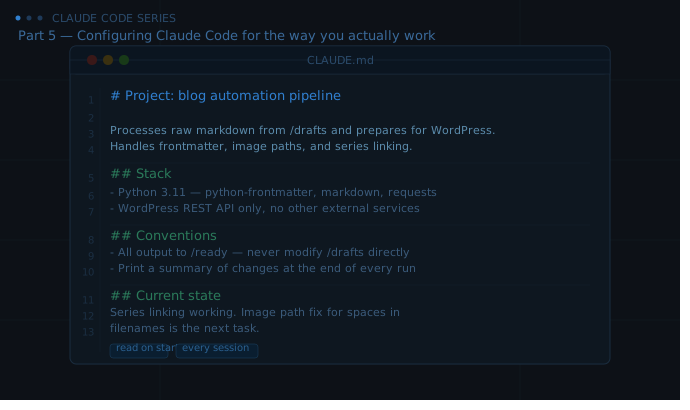
Here is what a CLAUDE.md file might look like for a small content automation project:
# Project: Blog automation pipeline

This project processes raw markdown files from /drafts and prepares them for
WordPress upload. It handles frontmatter generation, image path correction,
and series linking.

## Stack
- Python 3.11
- Libraries: python-frontmatter, markdown, requests
- No external APIs except WordPress REST API

## Conventions
- All output files go to /ready — never modify files in /drafts directly
- Use snake_case for all new filenames
- Add error handling to any function that touches the filesystem
- Print a summary of what changed at the end of each run

## Current state
Series linking is working. Image path correction has a known issue with
relative paths that include spaces — this is the next thing to fix.

## Do not
- Do not install new packages without asking first
- Do not touch anything in /archive
That file takes about five minutes to write. Every session that starts in that folder begins with Claude Code already knowing the project, the constraints, the conventions, and where things stand. The difference in session quality is significant.
Where to Put the File
Create the CLAUDE.md file in the root folder of whatever project you are working on. Navigate to that folder in your terminal and create the file:
touch CLAUDE.md
Then open it in any text editor and write your context. Save it. The next time you start a Claude Code session in that folder, it will be read automatically.
You can also create a global CLAUDE.md file in your home directory that Claude Code reads for every session regardless of which folder you are in. This is useful for preferences that apply everywhere, things like how you like errors reported or general working style preferences. The project-level file and the global file are both read when they exist.
Part Three: One Habit Worth Building Now
Before you end every Claude Code session, spend sixty seconds updating your CLAUDE.md file.
If something changed in the project, update the current state section. If you discovered a convention that works well, add it. If Claude Code made an assumption that was wrong, note the correct behaviour.
This takes almost no time in the moment. Over several sessions, it compounds. Your CLAUDE.md file becomes a genuinely accurate picture of the project, and each new session starts better than the last because of it.
This is the closest thing Claude Code has to memory. You are building it deliberately.
You Are Ready for a Real Session
Installation is done. Configuration is done. The CLAUDE.md file is written.
Part 6 is where the series shifts from setup to use. A real task, a complete session from start to finish, showing what a good Claude Code conversation actually looks like. Not a hello world example. Something with real back and forth, real corrections, and a real result at the end.
That is the post where everything from Parts 1 through 5 starts to feel worth it.
See you there.
Claude Code Series — Part 5 of 18. A complete guide to Claude Code from first principles to real-world use.